Windows 11 · Music Player

RoK — The modern music player for Windows 11

An elegant, fluid listening experience designed for people who care about both sound and design. Built with WinUI 3, optimized for performance, and crafted with an obsession for detail.

Native WinUI 3 · Windows 11 Local library · No account required Premium UX · No artificial gamification
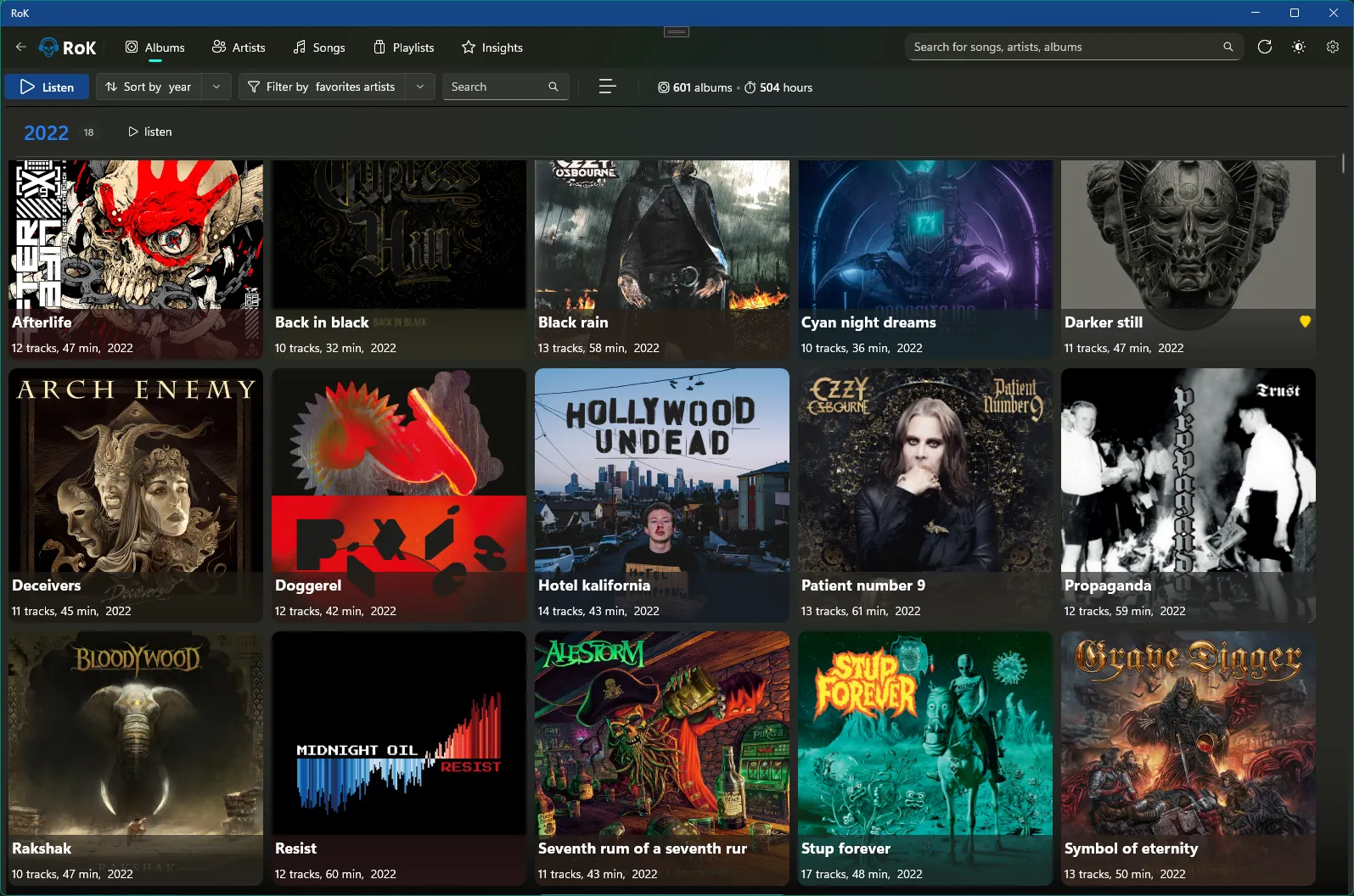
RoK album view screenshot

Why RoK

A music player that respects your music

RoK is built for listeners who want a modern, premium experience on Windows 11 — without noise, clutter, or artificial metrics. Just your library, beautifully presented.

Designed for Windows 11

RoK embraces the Windows 11 design language with a clean, minimal interface, subtle depth, and smooth animations. Every interaction is tuned to feel native, responsive, and calm.

WinUI 3
Fluent-inspired
Dark-mode first

No artificial scores. Just you and your music.

RoK doesn’t try to gamify your listening with arbitrary scores or badges. Insights are designed to be human, readable, and emotionally meaningful — not addictive.

Top Tracks & Albums
Listening patterns
No gamification

Features

The pillars of the RoK experience

From the player to the library to Insights, every part of RoK is designed to reduce friction and keep the focus on your music.

RoK library view
Listening

An interface built for listening

Smooth playback, a clear queue, instant search, and elegant themes. RoK keeps controls obvious but unobtrusive, so you can stay in the flow of your music.

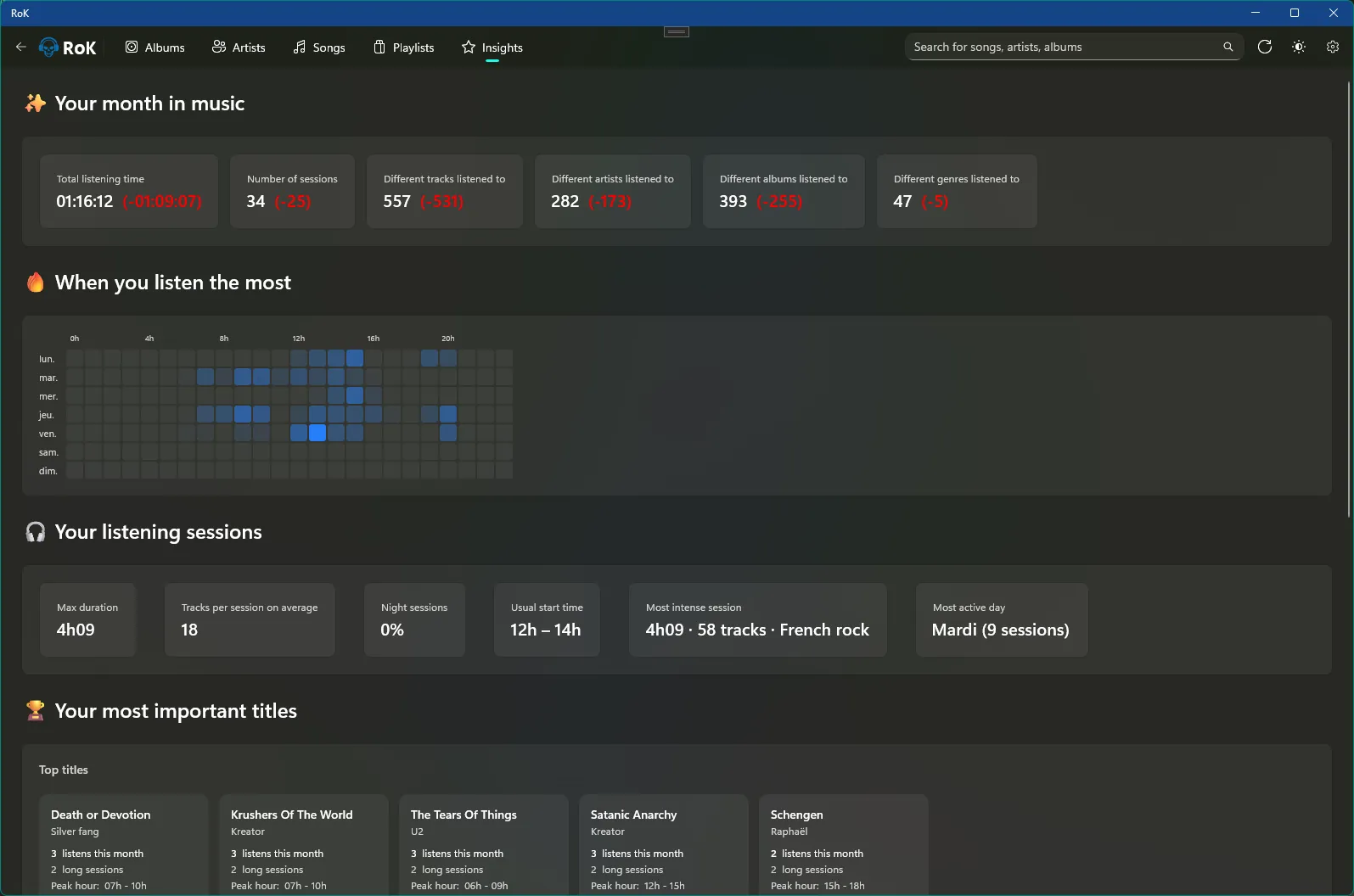
RoK insights view
Insights

Insights, reimagined

Discover your most played tracks and albums, explore when you listen the most, and see your habits at a glance — all without turning your listening into a game.

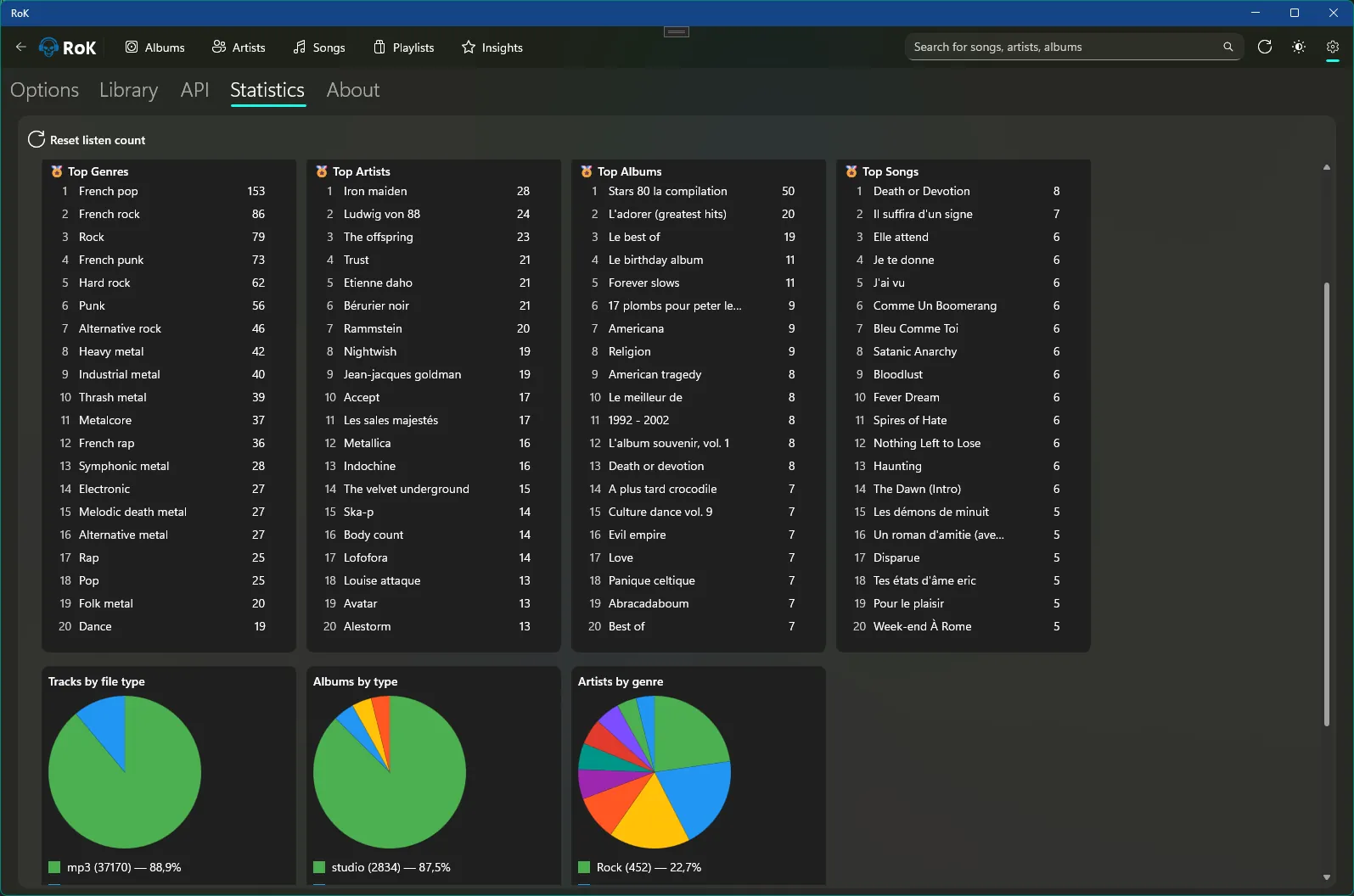
RoK statistics view
Performance

Fast, native, reliable

Built with .NET and WinUI 3, RoK is optimized for Windows 11. Fast startup, smooth scrolling, and efficient handling of local libraries are part of the core.


Screens

See RoK in action

RoK is more than a list of features — it’s a visual and tactile experience. Each screen is designed to tell a small story about your music.

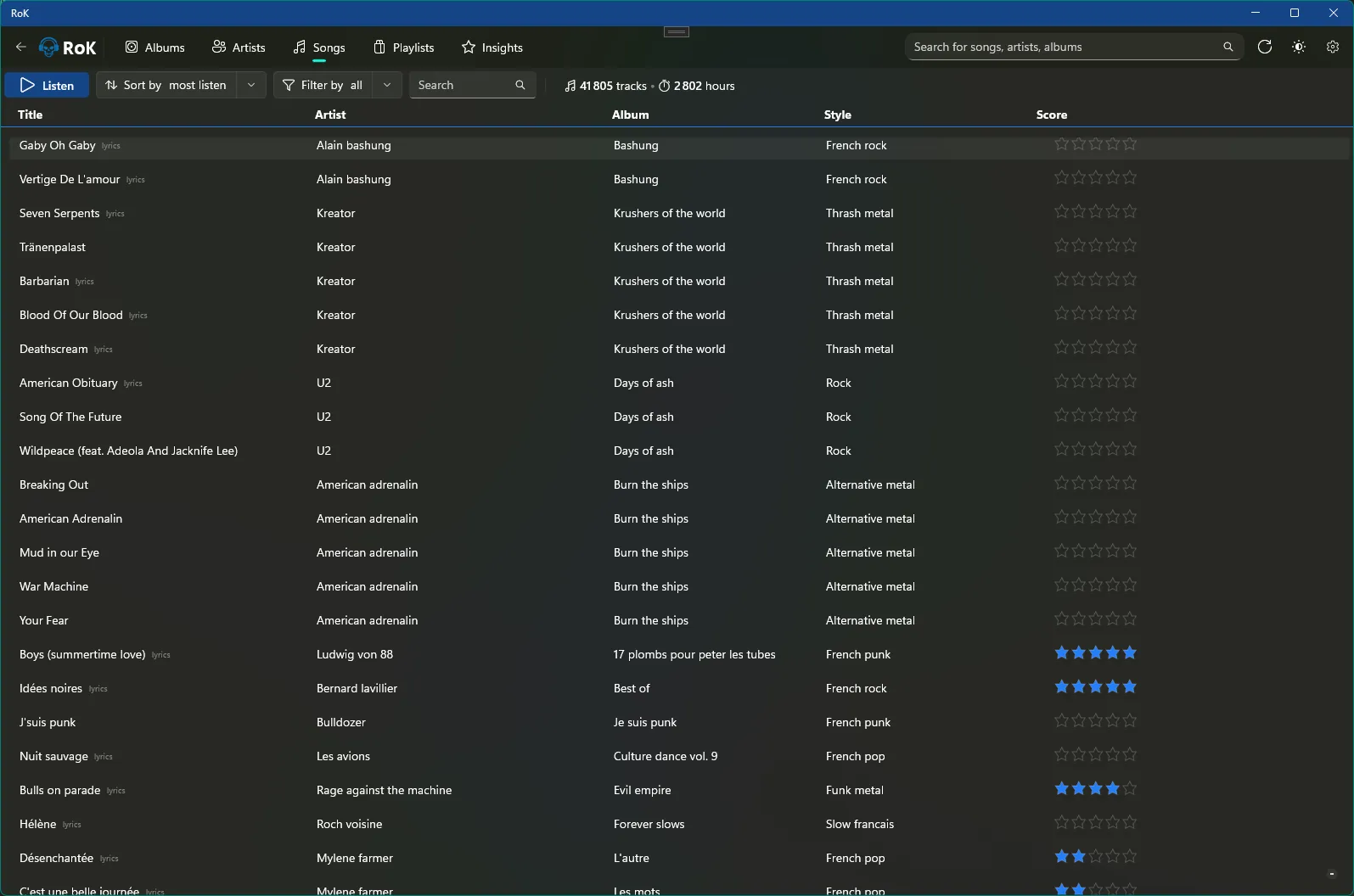
RoK – Songs library
Library
Your music, organized
RoK – Albums view
Albums
Your collection at a glance
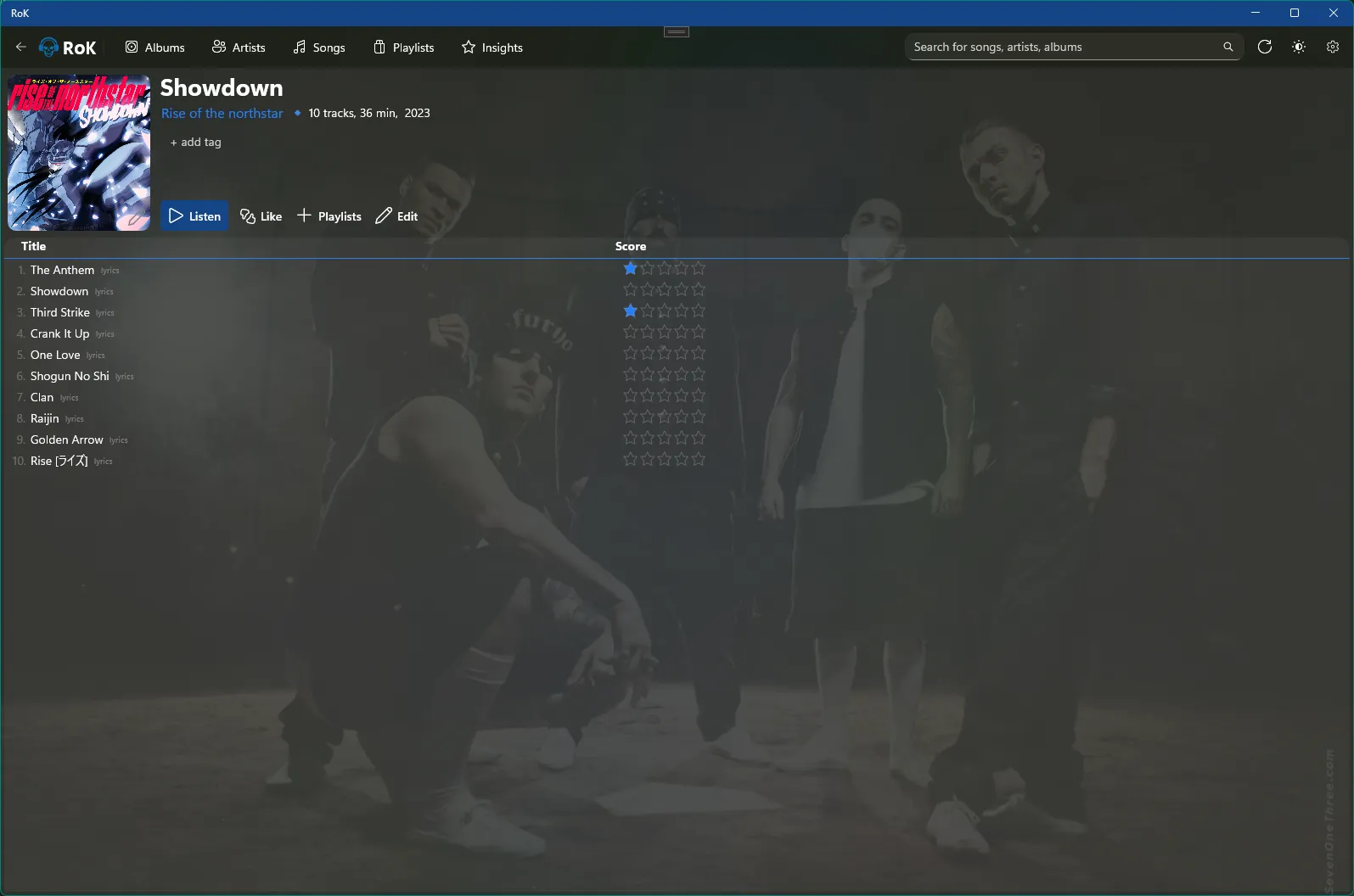
RoK – Album detail
Album Detail
A stage for your music
RoK – Insights
Insights
Understand your listening
RoK – Statistics
Statistics
Your habits, visualized
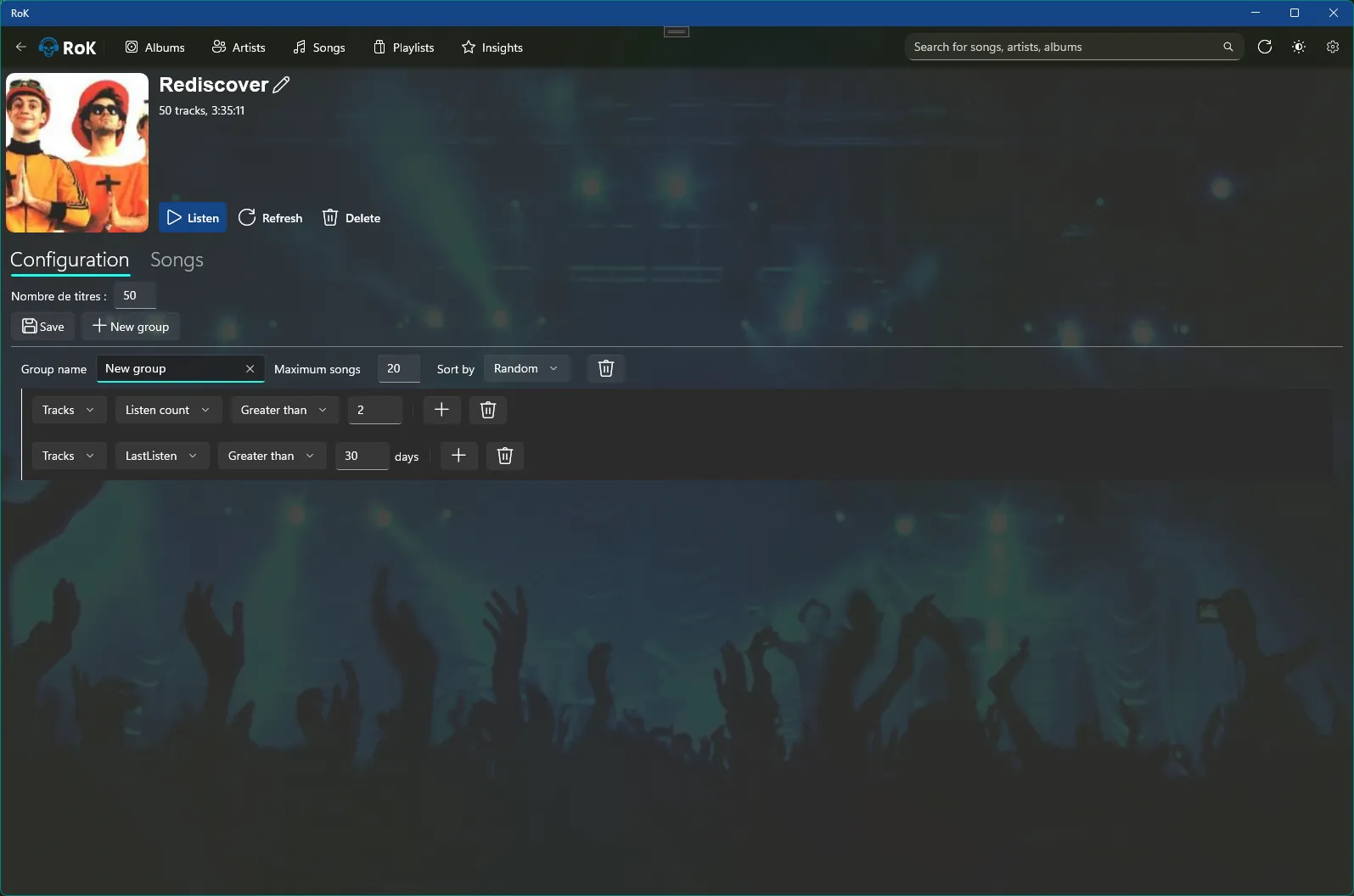
RoK – Smart Playlists
Smart Playlists
Playlists that build themselves
Story

Built from a simple frustration

RoK wasn’t born from a feature checklist, but from a feeling: Windows deserved a truly modern, premium music player.

A music player created out of passion

RoK started with a simple observation: on Windows, there was no music player that felt truly aligned with the OS — visually, technically, and emotionally. Existing players were either dated, overloaded, or disconnected from the design language of Windows 11.

So RoK was built as a response: a music player that treats your library with respect, focuses on the listening experience, and uses insights to tell a story about your habits — not to pressure you into listening more.

Created by an indie developer who cares about design, performance, and the way software feels.

Trust

Built to feel premium, inside and out

RoK is designed as a product you can trust: visually polished, technically solid, and focused on a clear vision instead of chasing trends.


Ready to rediscover your music?

Download RoK on the Microsoft Store and experience a modern, premium music player designed specifically for Windows 11.

Get it on Microsoft Store